Backup, restore, and deleting your data
Your collection, decks, and match history live only on your device. Nothing syncs them to the cloud, so a lost or reset device takes your data with it unless you have a backup.
Back up
Section titled “Back up”- Open Settings and find Maintenance.
- Tap Back Up Data.
- Choose where to save the file. The suggested name is
cardadvantage-backup-followed by today’s date and.sqlite.
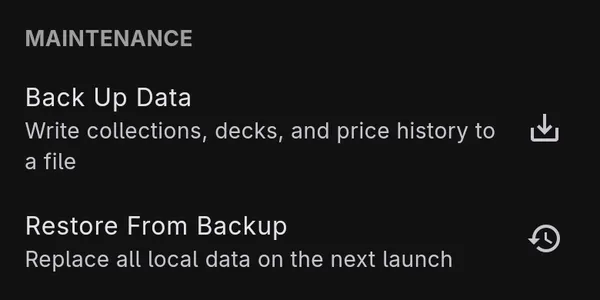
The backup is a copy of the app’s database: your collections, decks, match history, and price history. Your settings, including any API key you entered, are stored separately and are not in the backup.
Keep the file somewhere that is not the same device: a computer, a USB drive, or your own cloud storage.
Restore
Section titled “Restore”Restoring replaces everything currently in the app. Back up first if there is anything you want to keep.
- Open Settings → Maintenance and tap Restore From Backup.
- Choose the backup file.
- Confirm with Restore.
- Close the app and open it again. The restore happens on that next launch, not straight away.
The database being replaced is not deleted. It is kept next to the restored one, in the app’s
storage, as db.sqlite.replaced.
Delete everything
Section titled “Delete everything”- Open Settings and find Privacy & Data.
- Tap Delete All App Data.
- Type
DELETEto confirm.
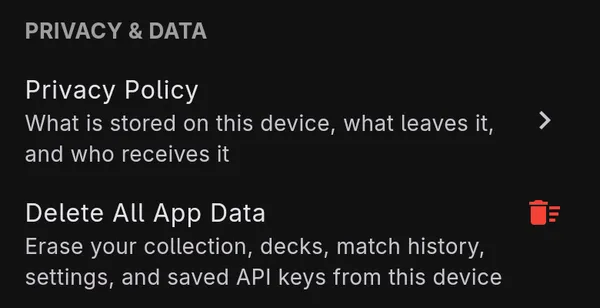
This erases, from this device:
- collections, decks, and match history
- sideboard swap plans, transactions, and price history
- all settings, including any AI API key or subscription token
- the downloaded card catalog and search index
Downloaded AI models are kept, because they contain nothing about you and are slow to download again. Uninstalling the app removes them too.
There is no server copy to recover from. A deletion cannot be undone.
Two things are held off the device and survive this: your account (an anonymous ID the app creates, plus any email address you linked to it) and crash diagnostics. How to ask for those to be deleted is on Deleting your data.